Uncategorized

Uncategorized

How AI is Revolutionising the VFX & Animation Industry in 2026

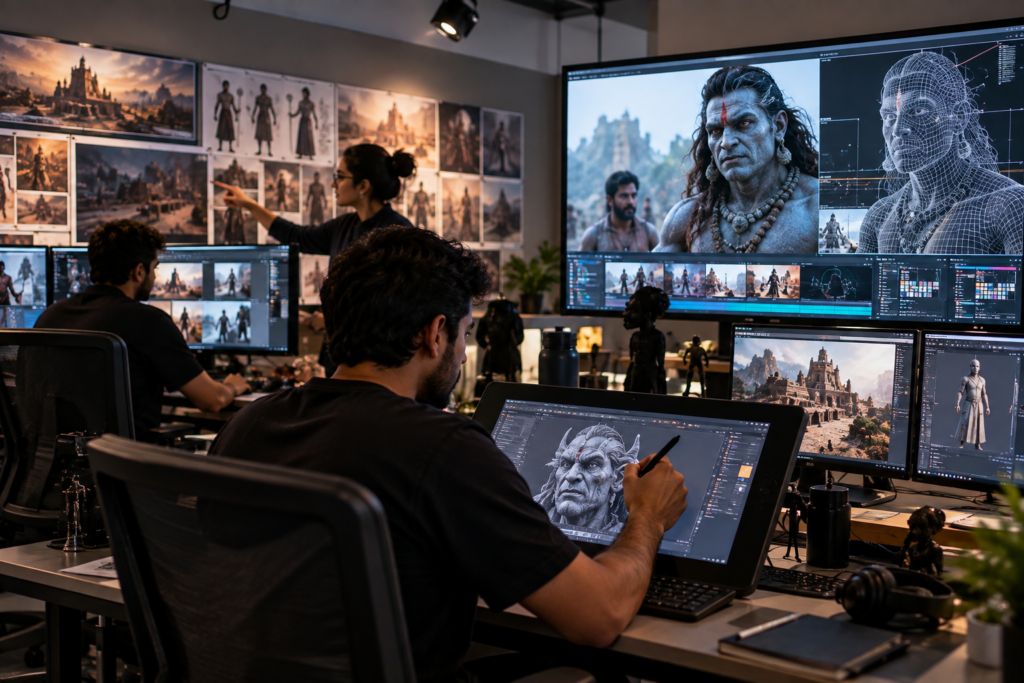
The biggest myth in animation and VFX right now is that AI is here to replace artists. In reality, what we are seeing on production floors is very different. In our experience working closely with students, studios, and creative teams, AI is not eliminating roles. It is reshaping workflows. Artists who understand this shift are moving faster, earning more, and working on better projects. Those who ignore it are struggling to keep up. By 2026, AI will no longer be an experimental tool in VFX and animation. It has become part of everyday production. This is exactly why choosing the right animation and VFX course matters more now than ever. At e-Drishyam Entertainment & Film School, AI is approached as a creative accelerator, not a shortcut. The Real Change AI Has Brought to VFX and Animation AI has not changed what audiences expect. They still want strong stories, believable visuals, and emotional impact. What AI has changed is how fast and efficiently teams can deliver those visuals. We have seen studios dramatically shorten production timelines by using AI-assisted workflows. Tasks that once took days are now completed in hours. This does not reduce the need for artists. It increases the demand for skilled decision-makers who know how to guide these tools. In 2026, the most valued professionals are not those who blindly rely on AI, but those trained to control it creatively. This is a key focus area in every advanced animation and VFX course designed by e-Drishyam Entertainment & Film School. Why AI Matters Specifically to the Indian VFX and Animation Industry India has become a global hub for VFX and animation services. International studios outsource high-end work to Indian teams because of talent and scale. AI has amplified this opportunity. In our observation, Indian studios using AI effectively are: Delivering faster without sacrificing quality Taking on more complex international projects Reducing repetitive manual work Allowing artists to focus on creative problem-solving Students enrolling in an animation and VFX course today must understand this industry reality. Tools alone are not enough. Workflow intelligence is the real differentiator. AI in Animation: What Has Actually Changed AI is not animating films on its own. What it does is support animators at critical stages. Key areas where AI is making a real impact: Automated in-betweening support for 2D animation Faster rigging and pose generation in 3D AI-assisted lip-sync and facial animation Style consistency across large animation projects We have seen AI help junior animators deliver work at a level that previously required years of experience. But only when guided correctly. This is why structured training at e-Drishyam Entertainment & Film School focuses on understanding animation principles first, then applying AI as support. AI in VFX: Speed, Precision, and Scale VFX pipelines are complex. AI has entered this space not to replace artists, but to reduce friction. In 2026, AI is commonly used for: Rotoscoping and object masking Clean plate generation Motion tracking assistance Crowd simulation support Environment extensions What used to consume weeks of manual labour is now handled in a fraction of the time. However, we have seen projects fail when AI outputs were accepted without artistic supervision. This is why a professional animation and VFX course must teach judgment, not just how to push buttons. The Shift in Skill Expectations for Artists Earlier, studios hired specialists for narrow tasks. Today, they prefer adaptable artists who understand the full pipeline. In our experience, the most employable artists in 2026 have: Strong fundamentals in animation and VFX Working knowledge of AI-assisted tools The ability to troubleshoot AI outputs An understanding of cinematic storytelling This is exactly the skill blend emphasised at e-Drishyam Entertainment & Film School. Their animation and VFX course structure prepares students for hybrid roles that are now becoming the industry standard. Common Misconceptions About AI in Animation and VFX This is where many learners go wrong. AI will do everything It will not. AI still needs direction, correction, and creative intent. Learning software is enough Software knowledge without artistic understanding leads to generic output. AI removes the need for fundamentals We have seen this fail repeatedly. Weak fundamentals produce weak results, even with AI. AI makes portfolios irrelevant Portfolios matter more now because studios want proof of thinking, not tool usage. Students guided by experienced mentors during an animation and VFX course avoid these costly misunderstandings early. When AI Should Not Be Used in VFX and Animation Knowing when not to use AI is a professional skill. We have seen AI fail in: Emotion-heavy character performances Stylised animation requiring human nuance Complex storytelling sequences High-stakes cinematic shots Human judgment still leads creative decisions. AI supports execution. This balance is something e-Drishyam Entertainment & Film School actively teaches through real-world project training. How AI Is Changing Career Paths in 2026 AI has not reduced job opportunities. It has changed job descriptions. New and evolving roles include: AI-assisted Animation Artist VFX Technical Artist Pipeline and Workflow Specialist Virtual Production Artist Creative Technologist Studios now expect artists to collaborate intelligently with technology. A future-ready animation and VFX course prepares students for these emerging roles instead of outdated job titles. Freelancing and Global Opportunities with AI Skills AI has lowered entry barriers for global freelancing. Indian artists with strong fundamentals and a strong undestanding of AI are regularly working with international clients. Successful freelancers understand: How to use AI to speed up delivery How to maintain originality despite automation How to communicate creative intent clearly At e-Drishyam Entertainment & Film School, students are exposed to production-style briefs and deadlines that mirror freelance and studio environments. What Studios Actually Look for in 2026 Studios are not impressed by tool lists. They look for thinking artists. In our interaction with hiring managers, they consistently value: Problem-solving ability Understanding of pipeline workflows Creative decision-making Adaptability to new tools A well-designed animation and VFX course focuses on these aspects, ensuring students remain relevant even as tools evolve. Why Choosing the Right Animation and VFX Course Matters Now Learning AI tools without guidance leads to confusion and shallow skill sets. Learning fundamentals without understanding AI

Uncategorized

How to Master Motion Graphics: Expert Tips, Tools & Career Scope in India

Most people fail at motion graphics for one simple reason. They start with software instead of thinking. We have seen this repeatedly. Learners spend months chasing plugins, presets, and shortcuts, yet struggle to create work that feels professional or employable. The problem is not talent. It is direction. Motion graphics is not about making things move. It is about controlling attention, guiding emotion, and communicating ideas visually. Once you understand that, everything else falls into place. This is exactly where a structured motion graphics course from an institute like e-Drishyam Entertainment & Film School changes outcomes. It teaches you how to think like a motion designer, not just operate tools. Why Motion Graphics Skills Matter More Than Ever in India India does not have a shortage of video content. It lacks effective visual communication. Brands today are fighting for three seconds of attention on mobile screens. Films and OTT platforms rely on visual branding to stand out. Startups use explainer videos because text no longer converts. In our experience, companies are not hiring motion designers to decorate content. They are hiring them to solve communication problems. This is why motion graphics has moved from being a niche skill to a core creative requirement. Professionals trained through a practical motion graphics course are finding roles across advertising, digital media, film production, and product design. Motion Graphics Is Design First, Animation Second One hard truth most beginners discover late is this. If your design is weak, animation will not save it. We have seen beautifully animated videos fail because typography was poor or layouts were cluttered. Strong motion graphics begin with strong design decisions. What actually matters: How clearly the information is structured Whether typography feels intentional How colour supports mood and readability Whether the viewer knows where to look next At e-Drishyam Entertainment & Film School, students spend time building visual judgment before touching complex animation. This approach mirrors how professionals work in real studios. Tools Do Not Make You Employable. Workflow Does. Yes, software matters. But employers do not hire tool operators. They hire problem solvers who can deliver on time. A serious motion graphics course focuses on how tools are used together, not on teaching them in isolation. Industry-relevant tools include: Adobe After Effects for motion design and compositing Adobe Illustrator for clean vector assets Photoshop for image-based elements Cinema 4D or Blender for 3D motion workflows Premiere Pro for editing and integration What matters more than tool names is understanding production flow. How assets are prepared. How revisions are handled. How files are optimised. This is where students trained at e-Drishyam Entertainment & Film School gain a clear edge. The Motion Principles That Separate Amateurs from Professionals Bad motion graphics feel stiff or chaotic. Good motion graphics feel natural even when stylised. This difference comes from understanding movement, not copying effects. Professionals pay close attention to: Timing and pacing that match content intent Ease and acceleration that feels organic Visual rhythm aligned with sound and music Transitions that guide attention, not distract We have seen designers struggle for years because they skipped this step. At e-Drishyam Entertainment & Film School, these principles are drilled through practice, critique, and repetition, not theory slides. A Truth About Storytelling in Motion Graphics Every animation answers a question. Even abstract visuals communicate something. When storytelling is missing, viewers feel confused or disengaged. When it is clear, even simple animations feel powerful. Before animating, professionals ask: What should the viewer understand first? What emotion should this moment carry? What action should follow This mindset is central to every motion graphics course offered by e-Drishyam Entertainment & Film School, especially for students aiming for careers in film, advertising, or branded content. Common Mistakes We See Beginners Make This section matters because avoiding mistakes saves years. Overusing effects without purpose Flashy animations rarely impress clients or recruiters. Ignoring typography fundamentals Poor text animation instantly exposes inexperience. Relying on templates Templates help speed. They do not build skills. Skipping feedback Design improves fastest through critique, not isolation. Students who receive structured feedback during their motion graphics course progress significantly faster than those who learn on their own. When Motion Graphics Is Not the Right Solution Motion graphics are powerful, but not universal. We have seen projects fail when motion graphics was used where live-action storytelling or static design would have worked better. Knowing when not to animate is a professional skill. Motion graphics works best when: Information needs clarity and flow Brand identity must stay consistent Visual abstraction is helpful This decision-making ability is what institutes like e-Drishyam Entertainment & Film School actively train. Career Scope for Motion Graphics Professionals in India The demand is real, but it is skill-sensitive. Common roles include: Motion Graphics Designer Visual Designer Title and Promo Designer Broadcast Graphics Artist Social Media Video Specialist Industries hiring include: Advertising and branding agencies Film and OTT production houses Digital-first startups News and broadcast networks Edtech and product companies Graduates from e-Drishyam Entertainment & Film School often work across industries because their training is not tool-limited. Freelancing and International Work Opportunities Motion graphics translates well across borders. With a strong portfolio, Indian designers regularly work with global clients. What makes the difference is not software knowledge, but reliability, clarity, and communication. A professional motion graphics course should teach: How to interpret client briefs How to price projects realistically How to handle revisions professionally These are practical skills that e-Drishyam Entertainment & Film School integrates into its training approach. What a Hiring-Ready Portfolio Actually Looks Like Recruiters do not want quantity. They want clarity. A strong portfolio shows: Clear ideas Clean execution Consistent quality Understanding of brand and audience At e-Drishyam Entertainment & Film School, portfolio development is treated as a career tool rather than just an academic requirement. Final Perspective Motion graphics rewards those who respect the craft. It punishes shortcuts. If you want a sustainable career, focus on fundamentals, thinking, and storytelling before chasing effects. A well-structured motion graphics course from e-Drishyam Entertainment & Film School provides the guidance, discipline, and industry exposure needed to grow with confidence. In a crowded

Uncategorized

5 Essential Video Editing Techniques Beginners Should Master

Most Beginner Videos Don’t Fail on Camera — They Fail in the Timeline Here’s an uncomfortable truth we’ve learned after reviewing hundreds of beginner projects at e-Drishyam: Most videos don’t feel amateur because the footage is bad. They feel amateur because the editing decisions are weak. We regularly see students arrive with decent cameras, stable shots, clean lighting, and clear ideas. But once those clips hit the timeline, something collapses. The video drags. The message loses punch. The story doesn’t land the way it should. In our experience, this happens for one reason: beginners learn software before learning to edit. They memorise buttons, effects, and shortcuts, but never learn the video-editing techniques that govern rhythm, attention, and emotional flow. Editing isn’t decoration. It’s psychology. It’s deciding what the viewer feels, second by second—often without realising why. This article breaks down five foundational techniques that consistently transform beginner edits into confident, watchable videos. These are the same principles we prioritise at e-Drishyam before students touch transitions, presets, or cinematic looks. Master these, and everything else becomes easier. Ignore them, and no plugin will save your edit. 1. Cutting With Purpose: Editing Is Subtraction, Not Assembly Beginners often think editing means “putting clips together.” Professionals know editing is about removing what doesn’t belong. Every cut is a decision. Not a technical one—but a storytelling one. The real question behind every cut is: What does the viewer need right now to stay engaged? When this question isn’t guiding the edit, we see predictable problems: Pauses that feel awkward rather than natural Information repeated in different shots Reaction shots that add nothing Clips kept because they look “nice,” not because they matter At e-Drishyam, we push students to cut ruthlessly. Not emotionally. A clip can be beautifully shot and still be useless to the story. Why This Matters Attention is fragile. Viewers don’t consciously analyse why a video feels slow—they just leave. Purposeful cutting keeps momentum alive without the viewer noticing the edit itself. Practical Editing Discipline After creating your first rough cut: Watch the video without sound. If a shot feels slow or confusing visually, cut it. If you don’t miss it, your audience won’t either. This single habit improves pacing more than most beginner tutorials combined. 2. Pacing: The Invisible Force Behind Viewer Retention Pacing is one of the most underestimated video editing techniques, especially among beginners. Most assume pacing is about speed. It isn’t. Pacing is about emphasis. In our experience at e-Drishyam, pacing is what separates videos people finish from those they abandon halfway through. How Pacing Actually Works Short shots increase urgency and energy. Longer shots signal importance or emotion. Rapid cuts build excitement or tension. Slower edits create space for understanding. A major beginner mistake is treating every clip the same. Equal clip length creates a flat rhythm—even if the content is strong. Why Beginners Struggle Here They edit based on habit, not intent. Real editors vary pacing deliberately to guide how moments land emotionally. Training Exercise We Use Take one raw clip and create two edits: A fast-paced version using shorter cuts A slower version with longer holds Watch both back-to-back. The emotional difference trains instinct faster than theory ever will. 3. J-Cuts and L-Cuts: Where Edits Stop Feeling “Choppy” If there’s one technique that instantly upgrades beginner work, it’s this. At e-Drishyam, J-cuts and L-cuts are often the turning point—when students finally understand why professional edits feel smooth without obvious transitions. What Makes These Cuts Powerful They mirror real-life conversation flow. They reduce visual abruptness. They keep attention moving forward. When audio overrules PS visuals naturally, the brain accepts the cut without resistance. That’s why films, interviews, and documentaries rely heavily on these techniques. Beginner Misconception Many beginners rely on transitions to hide bad cuts. In reality, clean audio flow often eliminates the need for transitions entirely. If your cut needs a transition to feel smooth, something upstream is wrong. 4. Colour Correction First — Always Colour is where beginners try to “look professional” and accidentally make things worse. One of the strictest rules we enforce at e-Drishyam is this: Never style broken footage. Correction vs Grading (Why the Order Matters) Colour correction fixes exposure, white balance, and consistency. Colour grading adds mood or style. Applying LUTs before correction exaggerates problems instead of hiding them. What Actually Elevates Video Quality Matching brightness across shots Natural skin tones Balanced contrast with visible detail If two clips from the same scene don’t visually belong together, viewers subconsciously disconnect—even if they can’t explain why. Clean colour doesn’t draw attention to itself. That invisibility is what makes it effective. 5. Sound Editing: The Fastest Way to Lose or Earn Trust Here’s a rule we repeat constantly at e-Drishyam: Audio quality determines whether viewers trust your video. You can survive imperfect visuals. You cannot survive an irritating sound. Yet many beginners treat audio as an afterthought. Essential Sound-Focused Video Editing Techniques Removing background noise Balancing dialogue levels Controlling music volume Using room tone and silence intentionally Practical Audio Benchmark Dialogue should feel comfortable at normal volume without strain. If viewers need to adjust volume repeatedly, the edit has failed. Common Beginner Error Adding music because the scene “feels empty.” Silence, when used intentionally, often carries more emotional weight than background music. An Insider Framework We Teach at e-Drishyam: The “Invisible Edit Test” This is a simple test we use to evaluate beginner edits. Ask yourself: Does anything feel distracting? Does any cut pull attention to itself? Does the viewer notice technique more than message? If yes, the edit needs refinement. Good editing disappears. The viewer remembers the story—not the tools used to tell it. When Beginners Should Not Do More An important lesson we teach early at e-Drishyam: Over-editing is insecurity in disguise. Avoid: Excessive transitions Random slow motion Overused effects Presets without understanding Professional editors don’t ask, “What can I add?” They ask, “What can I remove without losing impact?” Why These Video Editing Techniques Work Together Strong editing isn’t built from isolated tricks—it’s built

Uncategorized

Top 7 Benefits of Joining a Film & Media Institute Rather Than Self-Learning

The Problem Isn’t Lack of Information — It’s Lack of Direction   Almost everyone entering the film or media industry today starts the same way: with YouTube tutorials, online courses, reels, breakdown videos, and free masterclasses. On paper, everything you need is already available. Yet in practice, something keeps going wrong. At e-Drishyam, we regularly meet aspiring editors, filmmakers, photographers, and media creators who tell us the same thing: “I’ve watched hundreds of tutorials. I know the software. But I don’t feel confident calling myself a professional.” That feeling isn’t insecurity. It’s a signal. In our experience, self-learning often creates tool familiarity but not professional readiness. Knowing how to use a camera or editing software is not the same as knowing how the industry works, how decisions are made, or how to deliver under real-world expectations. This is where the real benefit of the film institute becomes visible. A structured, mentor-led environment doesn’t just teach skills — it builds judgement, discipline, and clarity. Let’s break down why, for most serious aspirants, joining a film & media institute creates a fundamentally different learning curve than self-learning alone. 1. Structured Learning That Prevents Costly Detours Self-learning promises flexibility, but what it usually delivers is fragmentation. Most self-learners jump between: Editing tricks without understanding storytelling Colour grading before exposure and lighting Advanced effects before mastering basic cuts The result? Years of effort with uneven growth. At e-Drishyam, learning follows a deliberate progression — fundamentals first, then complexity. This mirrors how professionals actually develop on set and in studios. Why Structure Matters More Than Motivation In our experience, self-learners don’t fail because they’re lazy. They fail because: They learn things out of sequence. They don’t know what to ignore. They repeat the same mistakes without realising it A film & media institute removes that uncertainty. You’re not guessing what to learn next or whether you’re “missing something.” That clarity is one of the most underrated benefits of the film institute — it saves years of trial, error, and quiet frustration. 2. Mentorship That Explains Why, Not Just How Tutorials are excellent at showing how to do something. They almost never explain: Why was a decision made When a technique should not be used What happens when things go wrong At e-Drishyam, students learn from mentors who’ve worked with real clients, real budgets, and real deadlines. What Mentorship Adds That YouTube Cannot Personal feedback on your actual work Honest critique, not polite encouragement Insight into industry shortcuts and red flags Career advice based on lived experience We’ve seen students make more progress in three months of guided mentorship than in two or three years of isolated self-learning. That acceleration is a clear benefit of the film institute: learning is corrected as it happens, not years later, when bad habits are already set. 3. Hands-On Practice With Professional Tools and Workflows Watching someone light a scene is not the same as illuminating one yourself. One of the most significant gaps in self-learning is the absence of physical, real-world pressure: Managing equipment Coordinating with people Solving problems when things don’t go as planned At e-Drishyam, students don’t just learn concepts — they apply them using professional cameras, lighting setups, sound equipment, and industry-standard workflows. Why This Changes Confidence Completely Real environments force you to: Make decisions quickly Deal with imperfect conditions Understand cause and effect. That experience builds a kind of confidence that tutorials can’t. It’s one of the most tangible benefits of the film institute — you don’t just know the process, you’ve lived it. 4. Peer Learning and Creative Ecosystems Film and media are collaborative industries. No major project is built in isolation. Self-learning, however, is usually solitary. You evaluate your own work, set your own standards, and rarely get diverse creative input. At e-Drishyam, students learn alongside editors, cinematographers, designers, and content creators — often at different skill levels. Why This Matters More Than It Sounds Creative growth accelerates when you: See how others approach the same problem. Learn from mistakes that aren’t your own Receive feedback from multiple perspectives. Many professional collaborations also begin during institute days. That network often outlasts the course itself — a long-term benefit of the film institute that keeps compounding. 5. Curriculum Designed for Industry Reality, Not Internet Trends Views, algorithms, and popularity drive online content — not employability. At e-Drishyam, the curriculum is shaped by: Current industry workflows Hiring expectations Market demand That means students don’t just learn tools. They learn: How projects move from idea to delivery How teams function How to communicate professionally What clients and studios actually expect This alignment with reality is a critical benefit of the film institute. It prevents the shock many self-learners face when their “online skills” don’t translate into real jobs. 6. Portfolio Development With Clear Direction and Standards In the industry, certificates rarely open doors. Portfolios do. Self-learners often struggle because their portfolios are: Inconsistent Conceptually weak Unclear in intent At e-Drishyam, portfolio development is intentional. Projects are designed, reviewed, refined, and aligned with industry benchmarks. Why This Makes a Difference Recruiters and clients don’t care how you learned. They care about: Output quality Consistency Storytelling ability One of the most substantial benefits of the film institute is graduating with a portfolio that signals readiness — not experimentation. 7. Career Direction, Exposure, and Realistic Guidance The most practical benefit of the film institute is clarity after training. Self-learning rarely answers questions like: Which role suits my strengths? Should I freelance or seek employment? What should my first professional step look like? At e-Drishyam, students receive career guidance, industry exposure, and honest conversations about: Growth paths Market realities Sustainable career choices We’ve seen highly skilled self-learners quit simply because they didn’t know where to go next. Institutes exist to bridge that gap. When Self-Learning Does Work — And When It Doesn’t To be clear, self-learning has value. It works best when: You already have strong fundamentals. You know precisely what you’re trying to improve. You’re using it to supplement structured training. But relying only on self-learning in a practical, competitive

Uncategorized

Is Graphic Designing a Good Career in India? Complete Guide for Students

In today’s digital-first world, the demand for creativity is at an all-time high. Businesses want to stand out. Brands wish to have stronger identities. Companies want high-quality visuals for websites, apps, advertisements, reels, social media, packaging, and more. Because of this massive creative boom, one profession has gained extraordinary popularity — Graphic Design. But if you’re a student or young professional exploring career options, one important question arises: Is graphic design a promising career in India? The short answer is — Yes, absolutely. The long answer is what this complete guide will help you understand. In this in-depth, 2000+ word guide crafted by e-Drishyam, you’ll learn everything about the scope, demand, salaries, skills required, job opportunities, future trends, and the truth behind whether graphic designing is a promising career in India. Let’s begin. What Does a Graphic Designer Do? Graphic design is the art of communicating visually. A graphic designer uses creativity, colour theory, typography, layout, and digital tools to transform ideas into visuals that connect with people. Graphic designers create: Brand logos Social media content Website graphics Advertisements Product packaging Banners, brochures, and posters UI/UX elements Illustrations Infographics Presentations Video thumbnails Marketing visuals At e-Drishyam, graphic designers work across branding, digital marketing campaigns, content design, and creative direction, showcasing the field’s broad scope. Is Graphic Design a Promising Career in India? (Straight Answer) Yes. Graphic design is an auspicious career in India, especially in today’s digital era, where 80% of businesses depend on visual content for branding. Why? Because: India has over 50 million businesses going digital. Social media content demand is rising every minute. Startups and brands need designers for identity and marketing. E-commerce and advertising industries are booming. Global clients hire Indian designers for cost-effective creativity. Graphic design offers: High demand Good salary Stable work Flexible opportunities Creative job satisfaction Freelancing potential Continuous growth This makes graphic design one of the top 10 creative careers in India, with excellent long-term scope. Why Is Graphic Design Growing So Fast in India? If you’re wondering why graphic design is such a fast-growing career, here are the main reasons: Digital Transformation of Businesses Every business — from small shops to big brands — now wants to be online. They need: Logos Websites Social media posts Promotional campaigns Advertisements This creates millions of opportunities for designers. Rise of Social Media Platforms like Instagram, YouTube, Facebook, LinkedIn, and TikTok (outside India) need consistent visual content. No influencer, brand, or creator can survive without appealing graphics. At e-Drishyam, graphic designers regularly create: Reels cover designs Posts and carousel designs Creative ad designs Infographics for branding The demand is enormous — and growing. E-commerce & Online Shopping Boom Companies like Amazon, Flipkart, Meesho, Ajio, Nykaa, and Myntra depend heavily on: Product graphics Banners UI/UX design Branding visuals This opens doors for thousands of graphic designers. Startups & Tech Companies Need Designers Startups are the backbone of India’s economy — and every startup needs: A brand identity App & website design Pitch deck design Digital ads This continuously increases demand for skilled designers. Content Creation Industry Exploding YouTubers, educators, podcasters, and influencers need: Thumbnails Logos Channel branding Video graphics Graphic designers are a core part of this new-age content ecosystem. Affordable Learning and High Earning It’s easy to learn graphic design today. You only need: A laptop Creativity Design software training In return, you can build a high-income skill that gives long-term rewards. Job Opportunities in Graphic Design in India If you’re wondering whether graphic design is a promising career in India, look at these job roles. Full-Time Jobs Graphic designers can work in: Advertising agencies Digital marketing firms IT companies Branding studios Media houses Animation and VFX studios Corporate companies Startups E-commerce companies At e-Drishyam, designers work with clients across the tech, retail, entertainment, and corporate sectors — proving the field’s versatility. Freelancing India has become a central global hub for freelance graphic designers. You can work with international clients via: Fiverr Upwork Freelancer Behance Dribbble LinkedIn Freelancers often earn more than full-time employees depending on skill and quality of work. Remote Work Since design is digital, you can work from: Home Cafe Your own studio Remote jobs are increasing every year. Entrepreneurship Many designers start: Their own design studios Freelance businesses Print and packaging companies Creative agencies E-commerce design brands e-Drishyam itself is an example of how creative companies grow from strong design skills. How Much Salary Does a Graphic Designer Earn in India? Salary depends on: Skills Experience City Portfolio quality Software knowledge Entry Level (0–1 years): ₹2.0–3.5 LPA Mid-Level (2–5 years): ₹4–7 LPA Senior Designers (5–10 years): ₹8–15 LPA Creative Directors or Brand Designers: ₹15–25 LPA+ Freelancers: ₹30,000–₹2,00,000+ per month (Based on clients & skill level) Top-tier designers with strong portfolios easily command premium rates. Skills Required to Become a Graphic Designer To build a promising career in graphic design in India, learn these essential skills: Software Skills You should master: Adobe Photoshop Adobe Illustrator Adobe InDesign Canva (for quick design) Figma (for UI/UX) After Effects (optional for motion graphics) At e-Drishyam, designers use industry-grade tools to deliver professional results. Creative Skills Colour theory Typography Layout and composition Branding principles Visual storytelling Soft Skills Communication Time management Client handling Teamwork Portfolio Building Your portfolio matters more than your degree. Show: Best projects Case studies Branding work Real client samples A strong portfolio can help you land higher-paying jobs. Pros of Pursuing Graphic Design in India Here’s why graphic design is a promising career in India: High Demand Every business needs design work — from real estate to retail, fashion to fintech. Good Income Potential The better your skills, the higher your earning potential. Flexible Work Options You can work: Part-time Full-time Freelance Remote Creative Freedom Graphic design allows you to express imagination and innovation. Personal Branding Designers can build: A personal brand Social media identity Passive income Global Work Opportunities Design is universal — Indian designers serve worldwide clients. No Degree Required Learning + skills + portfolio = career success. A formal degree is optional. Challenges

Uncategorized

Why Green Colour Is Used in VFX: The Science Behind the Green Screen

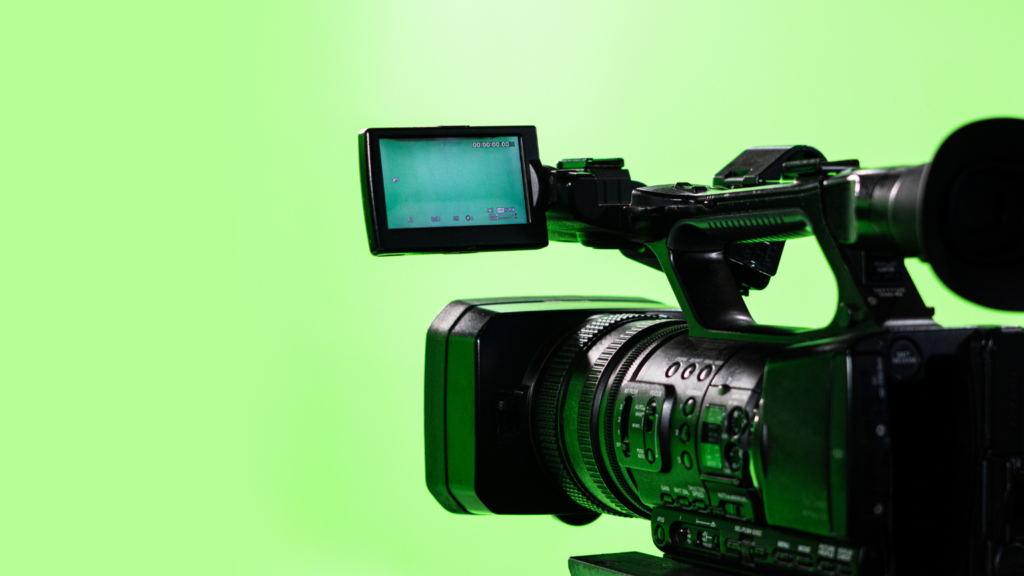
In today’s fast-paced world of filmmaking, advertisements, OTT content, and digital storytelling, Visual Effects (VFX) has become the backbone of modern visual media. Whether it’s a superhero flying in the sky, a news anchor standing in front of animated graphics, or an actor walking inside a futuristic world, VFX makes the impossible look real. At the core of this magic lies a fundamental technique called chroma keying, and the most iconic part of it is the green screen. But have you ever wondered: Why is green colour used in VFX? Why not blue, red, yellow, or any other colour? Is there a scientific reason, or is it simply a filmmaking tradition? In this detailed guide, e-Drishyam gives you a complete, in-depth understanding of why green is the preferred colour in VFX, the science behind chroma keying, and real-world insights from industry practices. What Is Chroma Keying? — The Foundation of Green Screen VFX Before we understand why green colour is used in VFX, we need to understand what chroma keying is. Chroma Keying Explained Chroma keying is a post-production technique in which a specific colour (usually green or blue) is removed from the footage, replacing it with a different background or environment. For example: Actors perform in front of a green screen. During editing, the green colour is removed digitally. A new background, animation, 3D model, or VFX element is added. This technique is widely used in: Films TV shows Ads Weather forecasting Web series Corporate videos Virtual production setups e-Drishyam uses advanced chroma keying tools to achieve seamless blending between the subject and the digital background, resulting in zero bleeding, zero noise, and a naturally realistic outcome. So, Why Is Green Colour Used in VFX? — The Scientific Answer The question “Why is green colour used in VFX?” comes down to light, sensors, human skin tones, and digital technology. Here are the scientific and practical reasons: Green Has the Highest Luminance for Digital Sensors Modern digital cameras are built using the Bayer pattern, a type of colour filter array that has: 50% green pixels 25% red pixels 25% blue pixels This means the camera captures more green information than any other colour. Why does this matter? Green is the brightest colour to digital sensors. It offers higher detail, better sharpness, and more contrast. It provides a cleaner key, making it easier for software to remove background noise. For VFX studios like e-Drishyam, this reduces time in rotoscoping, edge correction, and spill suppression. Green Is the Least Present in Human Skin Tones Regardless of race or skin colour, human skin does not contain green. Skin tones are mostly made up of: Reds Browns Yellows Why is this important? Because if the colour of the screen appears in the subject (skin, clothes, hair), then: The software gets confused. Parts of the body may disappear. Edges may distort Since skin contains almost no green, green screen ensures: Clean separation Zero interference Crisp outlines around the subject This is one of the biggest reasons e-Drishyam’s VFX artists prefer green screens for high-quality shoots. Green Requires Less Light Than Blue One of the most significant advantages of green is its brightness. This brightness means: You need fewer lights to illuminate a green screen. It saves time and money. It reduces shadows It provides an evenly lit background. Blue screens, by comparison, are darker and require more lighting, which increases production cost. For large-scale shoots, TVCs, or OTT content, green screens are cost-effective — something e-Drishyam always helps clients optimise. Green Spills Less Into Shadows Because green is bright and reflective, it allows: Cleaner edges Less shadow absorption Better control in post-processing Shadows often become darker shades of the background colour. With green, this remains manageable; with blue, shadows can blend too deeply, making removal more complex. Preferred for HD, 4K, 6K, and 8K Shoots As cameras become ultra-high-resolution, chroma keying needs to be sharper and more precise. Green screens perform better in: High dynamic range (HDR) High resolution shoots (4K+) High-contrast environments This is why most Hollywood films and big Indian productions prefer green — and why e-Drishyam uses green in most professional setups. Why Not Other Colours? Understanding Alternatives To truly understand why green colour is used in VFX, let’s compare it with other colours. Why Blue Isn’t Always Used Although blue screens are also common, they have drawbacks: Requires more lighting More present in clothing (jeans, shirts) Less detail due to fewer blue pixels Harder to key in fast-motion scenes However, blue screens are used when: The actor is wearing green. Night scenes are being shot. A darker background is needed. e-Drishyam switches between green and blue based on the creative requirement. Why Not Red? Red is a bad option because: Human skin contains red. Removing red would erase facial features. Camera sensors have the least red pixel density. Why Not Yellow or Pink? These colours reflect excessively and cause: Colour bleeding Shadows are mixing with the subject. Poor separation of subject and background Why Not White or Black? These are the worst choices for chroma keying because: Black absorbs light; shadows become hard to distinguish White reflects too much light; brightness overexposes the scene. Both colours commonly appear in clothing. The Science Behind Green Screen — Explained Simply To simplify the concept for beginners, here’s a quick analogy: Imagine you want to delete a particular colour from a picture. If the colour is: Bright Uniform Rarely found on the subject. …then the computer can remove it perfectly. Green satisfies all these requirements, which is why it is always the safest choice for VFX studios like e-Drishyam. The Role of e-Drishyam in Professional Green Screen VFX When it comes to VFX, chroma keying is not just about removing the background. It requires: Controlled lighting Correct colour balance Spill suppression Clean matte creation Edge refinement Background integration At e-Drishyam, professional VFX artists combine technical expertise with creative visual design to ensure: Zero colour spill on actors Even green screen illumination Perfect separation between subject and chroma Seamless background addition Natural-looking final output This

Uncategorized

From Beginner to Pro: Animation Career Salary Breakdown by Experience

Presented by e-Drishyam  Introduction At e-Drishyam, we’ve seen countless creative minds walk through our doors — curious, passionate, and filled with dreams of bringing art to life. They come from every corner of India, united by one goal: to build a career in animation. But amid the excitement, one question always echoes: “What does an animation career really pay?” It’s a fair question. In an age where creativity is often undervalued, the animation industry stands tall as a profession that combines artistry, technology, and storytelling — and rewards it well. Yet, salaries in this field are not flat; they evolve dramatically with skill, specialisation, and experience. The truth is, your animation career salary can grow from modest beginnings to substantial earnings if you invest in learning, networking, and industry exposure. The path from a beginner animator to a seasoned professional isn’t just about software mastery — it’s about how you grow as a storyteller, a technician, and a team player. This detailed guide from e-Drishyam explores how salaries progress throughout an animator’s career — from that first entry-level job to the heights of creative direction and production leadership. We’ll decode what factors influence your earnings, what roles pay best, and how you can position yourself to thrive financially and creatively in this ever-evolving field.   Animation Industry: Where Creativity Meets Opportunity Before we talk about salaries, let’s understand the world you’re entering. The animation industry isn’t just about cartoons anymore. It’s a vast creative ecosystem spanning film, television, advertising, education, healthcare, architecture, and — increasingly — gaming and virtual production. Every visual story that moves on screen needs an animator behind it.   1. The Expanding Universe of Animation Globally, the animation industry is a multi-billion-dollar enterprise that shows no signs of slowing. Streaming platforms require original animated series; ad agencies seek motion-rich digital campaigns; studios look for realistic VFX artists; and game developers are hiring faster than ever. In India alone, the animation and VFX sector has witnessed an exponential rise. Major cities like Mumbai, Hyderabad, Bengaluru, Pune, and Chennai have become creative hubs hosting hundreds of studios — from boutique agencies to global giants like Technicolour, Prime Focus, MPC, and DNEG.   2. Demand for Skilled Talent As tools become more sophisticated — with real-time rendering, AI-assisted animation, and virtual production — the need for skilled professionals who can combine artistry with technology has skyrocketed. This has created not just more jobs but also higher pay scales for those who bring both creativity and technical competence.   3. Diverse Career Paths Animation isn’t one job — it’s a family of careers. You can become a 2D animator, 3D modeller, rigger, lighting artist, texture specialist, compositing artist, storyboard artist, or motion designer. Each of these specialisations offers its own salary curve, influenced by demand, complexity, and market value. At e-Drishyam, we emphasise this diversity early in your training. Because once you know your niche, your career — and your income — can grow much faster.   From Beginner to Pro: The Journey of an Animator A career in animation is not a sprint; it’s a creative marathon. You start as a learner, mastering fundamentals and building your portfolio. Over the years, you climb into specialised, higher-paying roles — sometimes managing projects, other times leading creative teams. Here’s how this journey unfolds.   1. The Beginner Stage (0–2 Years) This is where most animators begin — right after completing their education or specialised training from institutes like e-Drishyam. At this stage, you’re typically a junior animator, intern, or assistant artist. You’ll work under senior animators, handling tasks like cleanup, in-betweening, rotoscoping, or basic motion cycles. It’s your learning phase — understanding pipeline, feedback loops, and deadlines.   Average Salary Range: India: ₹2.5 – ₹4.5 LPA (Lakhs Per Annum) International (Entry-level): $30,000 – $45,000 per year What Affects Pay: Your demo reel quality Knowledge of key software (Maya, Blender, Toon Boom, After Effects) Studio size and city (metros like Mumbai and Bangalore pay higher) Project type (TV, web, film, or gaming) At e-Drishyam, our beginner programs focus on helping students cross this stage with confidence — through portfolio building, mentorship, and soft skill training for interviews.   2. The Intermediate Stage (2–5 Years) Once you’ve spent a few years mastering production tasks, your responsibilities expand. You might now be a character animator, lighting artist, VFX compositor, or 3D generalist handling larger segments of animation projects. You may even lead small teams. This is where your animation career salary begins to reflect your growing expertise.   Average Salary Range: India: ₹5 – ₹9 LPA International: $45,000 – $70,000 per year Key Growth Drivers: Proficiency in multiple tools and engines (Maya, Unreal, Nuke, Houdini) Strong storytelling ability Team collaboration and communication Efficiency under production pressure Animators who actively build strong showreels and continually upgrade their skills often double their income within a few years. At e-Drishyam, we encourage our alumni at this stage to experiment with specialisation — whether in 3D character animation, motion graphics, or game animation — since focus often leads to higher pay.   3. The Senior Animator Stage (5–8 Years) By now, you’re no longer “just” an artist. You’re a problem solver. You understand project flow, client communication, and production demands. You might be supervising junior artists, refining storytelling arcs, and optimising animation quality.   Average Salary Range: India: ₹10 – ₹16 LPA International: $70,000 – $90,000 per year At this level, your animation career salary depends heavily on specialisation. For instance: Character Animators with a cinematic style often earn at the higher end. Technical Animators skilled in rigging and scripting earn premium pay for their rare combination of coding and creative understanding. Lighting and Rendering Artists in high-end VFX studios also see steep rises. Senior animators also start taking freelance or consulting gigs, adding to their income. Many professionals at this stage work with global clients remotely, leveraging online platforms and personal branding.   4. The Expert Stage (8–12 Years) You’ve now become a recognised name within your studio or network. At this stage, you

Uncategorized

Top Institutes for Animation & VFX Students Interested in Gaming Animation Careers

At e-Drishyam, we believe that art isn’t static — it moves, breathes, reacts, and lives inside stories. Animation and VFX are no longer confined to films or television; they have become the heartbeat of modern interactive entertainment. Among all creative frontiers, gaming animation stands as one of the most dynamic, rewarding, and fast-evolving careers for aspiring artists today. The rise of the gaming industry has created a playground for storytellers who can bring their imagination to life. It’s where visual art meets code, and where emotion meets interactivity. If you’ve ever dreamt of making characters jump, fight, laugh, or emote in response to a player’s touch, then gaming animation is your true calling. But how do you get there? How does a student of animation or VFX turn those raw skills into a career that thrives in game studios across the world? The answer begins with choosing the right institute — one that combines creativity, technology, and storytelling with the discipline of production pipelines and real-world collaboration. This guide from e-Drishyam walks you through the world of gaming animation — from understanding the industry and its expectations to exploring the best institutes (in India and abroad) that can transform your talent into a sustainable, exciting career.   The Gaming Industry: The Most Exciting Playground for Animators Let’s start with the bigger picture. The global gaming industry is now worth more than the film and music industries combined. It’s a multi-billion-dollar ecosystem powered by artists, storytellers, programmers, and dreamers. From console blockbusters to mobile games and AR/VR experiences, every aspect of this universe demands skilled game animators who can bring digital worlds to life. Gaming is no longer just entertainment; it’s experience design. Every motion matters — the way a warrior swings a sword, the bounce of a ball, or the way a character turns their head to react. Animation is what turns gameplay into emotion. As studios become more sophisticated, they seek artists who can think beyond just creating visually appealing content. They need people who understand player psychology, timing, physics, and, above all, the feeling of play. And this is where a solid educational foundation becomes crucial. It’s not enough to learn software; you must know the language of interaction. At e-Drishyam, we’ve witnessed this transformation firsthand. We’ve trained students who began as curious artists and evolved into professionals working on real-time animation projects. The secret lies in combining fundamentals with the specific demands of gaming animation — and that’s exactly what we’re going to unpack next.   Gaming Animation: Where Art Meets Interactivity Before diving into the institutes, it’s essential to understand what gaming animation actually is — and how it differs from traditional film or TV animation.   1. Interactive Storytelling In films, animation follows a fixed timeline. In games, animation responds to player actions. Every movement must feel responsive, fluid, and believable, regardless of the direction a player chooses. That means animators must design motion that can adapt — walk cycles that loop seamlessly, jumps that land naturally, and reactions that blend in real time.   2. Technical Precision Game animation lives inside an engine — not on a rendered frame. Every movement must run efficiently on hardware without breaking immersion. Animators must understand polygon counts, rig optimisation, compression, and frame budgets. Unlike film, you can’t afford to waste a single millisecond of processing.   3. System Thinking Gaming animation is systemic. Actions blend through state machines, combat moves are layered with logic, and even idle animations have logic trees. Animators work hand-in-hand with designers and programmers, creating movement that’s part art, part math, and all magic.   4. Storytelling in Motion Despite all the tech, gaming animation is still about emotion. Players connect to motion before they connect to narrative. A slight shoulder shrug, a determined glance, or the way a character breathes before a jump — these details make gameplay human. At e-Drishyam, we define gaming animation as the art of responsive performance. It’s a discipline where imagination dances with code. It’s where storytelling becomes playable.   What Studios Look For in Game Animators Before choosing where to study, it is essential to understand what the industry expects. Game studios worldwide seek artists who combine creativity with technical expertise. Here’s what separates a graduate from a hire:   A Focused Demo Reel: Studios prefer a 60–90 second reel showcasing real-time gameplay animations, including walk cycles, attacks, reactions, or cinematic sequences that run in engines like Unreal or Unity. A polished, short reel always beats a long, unfocused one.   Engine Integration Skills: Knowing Maya or Blender is excellent, but studios love candidates who can import their work into an engine and set up transitions, blend spaces, and animation blueprints.   Strong Fundamentals: No amount of technology replaces sound animation principles — timing, squash and stretch, anticipation, and acting. Your fundamentals must shine through every frame.   Technical Awareness: You should understand optimisation: polygon budgets, rig hierarchy, and file management. Studios value animators who respect performance limits.   Collaboration: In games, animators work with designers, modellers, and coders. The ability to communicate and iterate is as valuable as technical skill.   A Growth Mindset: The gaming world evolves rapidly. Studios hire people who continue to learn — new engines, AI-assisted tools, procedural systems, and emerging technologies like AR/VR. At e-Drishyam, our training philosophy aligns with these real-world needs. We teach not just how to animate, but how to think like a game developer — understanding constraints, problem-solving, and player experience.   Top Institutes for Animation & VFX Students Interested in Gaming Animation Careers Now that you understand what the industry wants, let’s explore where you can acquire these skills. We’ve grouped the top institutes into two sections — Indian institutes that combine affordability with rising excellence, and international schools that have long set global benchmarks in game animation.   INDIA — Where Talent Meets Opportunity India’s creative education ecosystem has expanded rapidly. Animation and VFX schools now offer programs tailored for game development. Below are some of the most respected

Uncategorized

AI in Graphic Design Courses: How Artificial Intelligence is Shaping Modern Design Skills

For e-Drishyam — a deep dive into how AI is reshaping creative education in 2025.  Introduction The world of design is evolving at an unprecedented rate. Where once graphic design relied primarily on creativity, software mastery, and visual storytelling, today artificial intelligence (AI) is transforming how design is taught, learned, and practised. From AI-driven tools that generate logos in seconds to intelligent systems that suggest colour palettes, layouts, and typography, AI is no longer an optional add-on — it’s becoming a core skill in the modern designer’s toolkit. If you’re exploring graphic design education or planning to upskill in 2025, understanding AI in graphic design courses is critical. This blog unpacks what AI brings to design education, how it shapes modern design skills, and how institutes like e-Drishyam are adapting to train the next generation of creative professionals.   AI in Graphic Design Graphic design has always balanced art and technology. Photoshop and Illustrator once felt revolutionary; now AI is the next leap forward. AI doesn’t replace designers — instead, it amplifies their creative capacity by automating repetitive work, offering intelligent design suggestions, and generating inspiration at lightning speed.   Some current applications of AI in graphic design include: Generative Design: AI algorithms that generate multiple layouts or design variations in seconds. AI Image Generation: Text-to-image tools like MidJourney, DALL·E, and Stable Diffusion that create visuals from prompts. Clever Editing: AI-powered background removals, auto-enhancement, and object recognition in Adobe Firefly or Canva. Personalised Design: AI analyses user data to create customised designs (ads, social posts, UX layouts). Workflow Automation: Automating resizing, formatting, or social media-ready outputs. The key takeaway: AI is not replacing creativity — it’s shifting the designer’s role from manual execution toward conceptual thinking, direction, and refinement.   AI in Graphic Design Courses In 2025, design schools and institutes are rapidly integrating AI-driven graphic design courses into their curricula. Why? Because the industry now demands designers who can use AI tools responsibly and effectively.   Modern courses typically cover: Fundamentals of AI for designers: Understanding how AI models work, where they excel, and where they fall short. Hands-on training in AI tools: Adobe Firefly, Canva’s Magic Studio, RunwayML, Stable Diffusion, MidJourney, and Figma AI plug-ins. Ethics of AI design: Addressing copyright, originality, and bias in AI-generated outputs. Portfolio integration: Showing clients/employers how AI-enhanced design workflows improve speed and creativity. Human–AI collaboration: Training designers to use AI as an assistant, not a replacement. By embedding these modules, courses are preparing students for real-world workflows where AI is already a mainstream technology.   How Artificial Intelligence is Shaping Modern Design Skills AI isn’t just a tool — it’s reshaping the very definition of design skills. Here’s how:   From Execution to Direction Designers no longer spend hours resizing banners or creating dozens of mockups. AI handles these tasks. Instead, the designer’s skill lies in directing AI outputs, curating results, and refining them with human taste.   Prompt Engineering Learning how to write effective AI prompts is becoming a new design literacy. Designers must describe moods, styles, and ideas precisely to get the output they envision.   Speed & Efficiency Deadlines are shrinking. With AI, designers can transition from concept to first draft in minutes, making iterative creativity more efficient.   Cross-disciplinary Integration Designers are expected to blend AI-generated visuals with traditional skills, such as typography, branding, motion design, and UX/UI.   Critical Thinking & Originality Since AI can mass-produce visuals, the differentiator becomes the designer’s ability to curate, conceptualise, and personalise — ensuring outputs stand out and align with brand identity. In short, modern design skills encompass creative direction, technical AI mastery, and ethical judgment.   Learn AI for Graphic Design If you’re a student, freelancer, or professional designer, here’s what a learning roadmap for AI in graphic design might look like: Start with AI Basics: Learn how AI works in design — from generative models to simple automation in Photoshop or Canva. Experiment with Tools: Try platforms like Adobe Firefly, MidJourney, Stable Diffusion, RunwayML, and Figma AI plug-ins. Practice Prompt Writing: Document prompts and results, refining them to achieve precision. Build AI-Enhanced Projects: Integrate AI visuals into branding, social media kits, or campaign design. Understand Ethics & Copyright: Learn what’s safe for commercial use and how to credit or adapt AI outputs responsibly. Create a Portfolio: Showcase AI + human design synergy — not just AI outputs, but your role in guiding and refining them. This combination ensures that you aren’t just a tool-user, but a strategic, creative professional who adds value in AI-driven environments.   Graphic Design with AI Tools Here are some must-know AI tools reshaping design workflows in 2025: Adobe Firefly: AI-driven features for generative fill, style transfers, and content-aware design. Canva Magic Studio: AI writing, layout suggestions, instant resizing, and background generation. Figma AI Plugins: Real-time layout suggestions, wireframe to design conversion, and UI enhancements. RunwayML: AI video and motion graphics generation. Stable Diffusion / MidJourney: High-quality concept art and mood board creation. Khroma / Coolors AI: Smart colour palette generation. How to integrate them into design practice: Use AI for ideation and speed (mood boards, mockups). Apply traditional design skills for brand alignment and polish. Keep your human creativity at the centre — AI is the brush, not the painter.   e-Drishyam — Building Future-Ready Designers At e-Drishyam, the philosophy is straightforward: AI is not a threat but an opportunity. The institute is actively integrating AI-powered design courses that teach students how to merge creativity with intelligent tools.   What makes e-Drishyam’s AI graphic design training unique? Balanced Curriculum: Blends fundamentals of design (typography, colour theory, branding) with the latest AI tools. Hands-On Projects: Students work on real-world campaigns enhanced by AI-generated assets. Mentor Support: Experienced designers guide students on when to trust AI and when to rely on traditional design craft. Ethical Training: Emphasis on responsible AI use, originality, and copyright compliance. Career Pathways: Portfolio preparation for jobs that now explicitly require AI-powered design skills. By aligning creativity, technology, and professionalism, e-Drishyam ensures that students graduate as AI-literate designers, ready for the 2025 market.  

Uncategorized

VFX and Animation Course Fees 2025: What You Need to Know Before Enrolling

Introduction If you’re reading this, you’re probably considering a career in visual effects (VFX) or animation — two of the most dynamic, creative and technically demanding fields in media today. Whether you’re a school-leaver, a working professional looking to reskill, or a freelancer wanting to upgrade, one of the first and most significant decisions is money: how much does training cost, and what will you get for that investment? This comprehensive guide explains VFX and animation fee structures for 2025, including typical price ranges for short- and long-term courses (both classroom and online), as well as the additional costs students often overlook. It also provides guidance on evaluating whether an expensive course is worth the investment and offers practical alternatives. It’s written for Indian students and professionals, but also useful if you’re comparing international options. Key real-world fee ranges, institute examples, and online course options are referenced so you can make a cost-aware choice. (Where I cite specific fee ranges, I’ve used current institute & course pages and trusted education aggregators for 2025 figures.)    VFX and Animation Course — What’s on Offer in 2025 Before we dig into fees, let’s be clear about the types of programs you’ll encounter. “VFX and animation” is an umbrella — beneath it lie very different courses: Short-term certificate courses/workshops (weeks → months): Focused skills (e.g., After Effects compositing, Blender, Nuke basics, character animation in Maya). Great for targeted upskilling or building a portfolio module, often run by private training centres and online platforms. Diploma / advanced diploma (6 months → 2 years): More structured than short courses, usually a mix of theory and project work. Common in private institutes and vocational schools. Professional certification programs (9 months → 18 months): Intensive, career-oriented courses focusing on industry pipeline tools, showreel creation and internship tie-ups. Undergraduate / degree programs (3 → 4 years): B.Des., B.Sc., BFA programs at design schools and universities. They provide deep conceptual grounding (art fundamentals, storytelling, design) and industry exposure. Postgraduate / master’s (1 → 2 years): For advanced specialisations (e.g., character animation, simulation, VFX production management). Online micro-credentials and MOOCs: Self-paced or cohort-based programs with varying levels of mentor support and project feedback (platforms like Coursera, Udemy, specialist academies). Each format has a different fee profile and different outcomes. Short courses are cheaper but offer less credential currency; degrees, on the other hand, cost more but provide sustained training and recognition.   VFX and Animation Course Fees 2025 — Realistic Ranges & Examples Here are realistic 2025 fee ranges and what they typically cover. I list ranges from low → high, then show real examples from well-known providers so you can compare apples to apples.   Typical fee ranges (India, 2025) Short online course / MOOC (single skill course): ~INR 500 → INR 30,000 Short classroom certificates / vocational (1–6 months): ~INR 10,000 → INR 80,000 Professional/long-term vocational courses (9–24 months): ~INR 1,00,000 → INR 4,00,000 High-end private institutes and specialised degrees (3–4 years or flagship diplomas): ~INR 3,00,000 → INR 25,00,000+ International short courses / bootcamps: USD 500 → USD 6,000+ depending on provider, residency and faculty. Why the wide range? The cost reflects several factors: institute brand, faculty experience, industry tie-ups, hardware and lab infrastructure, number of software licenses included, duration, and whether internships/placements are offered. A Rs 30,000 short course is not comparable to a Rs 8,00,000 professional program that provides for multiple software suites, studio visits, and placement assistance.    What You Need to Know Before Enrolling Money is only one part of the decision. Here are the most important non-price factors to weigh — they will usually determine return on investment (ROI) more than the headline fee.   1. Course outcome — what will you actually be able to do? Look beyond course titles. Two programs, both called “VFX,” can differ wildly: Does the course promise a showreel or portfolio? (This matters — studios hire showreel/skill, not certificates.) Are there industry projects, team assignments, or live briefs? Will you learn pipeline skills (camera tracking, rotoscoping, compositing, rendering, look development) or only single tools? If a course produces a polished showreel with breakdowns you can present to employers, that’s valuable — sometimes more valuable than a glossy institution name.   2. Faculty and mentors — industry vs academic Are trainers former studio artists who have worked on feature films or real-world commercials? Or are they teachers with limited production experience? Check sample instructor bios and look for published showreels or LinkedIn profiles that confirm real production experience.   3. Tools & software access VFX/animation requires licensed software (Maya, Houdini, Nuke, Mari, Substance, Unreal Engine, Adobe suites). Ask: Are software licenses included? If not, what will you need to buy or subscribe to? Does the institute provide cloud or lab access for rendering? Rendering infrastructure can be expensive, and some programs include render credits as a benefit.   4. Hardware & lab configuration Many advanced VFX tasks (simulation, rendering) require beefy machines. Check if: Labs have GPU workstations and render farms. You’ll need to invest in your own laptop/PC, and the recommended minimum specs are as follows.   5. Placement and industry connections Does the school have formal placement assistance, internship programs or faculty who can introduce you to studios? Read placement reports critically: “placement assistance” is not the same as “guaranteed placement.”   6. Curriculum alignment with current industry pipelines VFX pipelines change fast. A program that still teaches outdated workflows or skips essential modern tools (e.g., real-time workflows using Unreal Engine, procedural workflows in Houdini) will disadvantage you.   7. Class size and mentor ratio A 1:60 batch is not the same as a 1:8 mentorship. For creative technical disciplines, feedback and one-on-one mentorship matter.   8. Hidden or recurring costs Exam fees, certification charges. Hardware upgrades, software subscription costs. Travel for studio visits, portfolio shoots or live projects. Hostel and living expenses (if relocating).   9. Accreditation and degree recognition If you need a recognised degree (for further study, visas, or specific jobs), confirm whether the program is a recognised

Scroll to Top