
In today’s digital-first world, video is no longer optional it’s essential. From brand storytelling and social media marketing to documentaries, films, and online education, video content dominates how audiences consume information. At the heart of professional video editing is a powerful tool trusted by editors worldwide: Adobe Premiere Pro.
For anyone serious about video editing, mastering Adobe Premiere Pro techniques is not just a skill it’s a career accelerator. Whether you’re a beginner stepping into post-production or an experienced editor aiming to refine your workflow, understanding the core techniques of Premiere Pro can dramatically improve your speed, creativity, and output quality.
At e-Drishyam, we believe that learning video editing should be both practical and purposeful. This in-depth guide is designed to walk you through essential Adobe Premiere Pro techniques every video editor should know explained in a clear, human, and hands-on way.
Why Adobe Premiere Pro Is the Industry Standard
Adobe Premiere Pro is developed by Adobe and has earned a reputation as one of the most powerful nonlinear video editing tools available today. It’s used by YouTubers, filmmakers, broadcasters, digital marketers, and production houses alike.
What makes Premiere Pro stand out?
- It supports nearly every video format
- Seamless integration with After Effects, Photoshop, and Audition
- Advanced colour grading and audio tools
- Regular updates with AI-powered features
- Scalable for both beginners and professionals
At e-Drishyam, Adobe Premiere Pro is a core part of video editing education because it prepares learners for real-world industry workflows.
Understanding the Adobe Premiere Pro Interface
Before diving into advanced Adobe Premiere Pro techniques, it’s crucial to understand the workspace.
Key Panels You Must Master
- Project Panel – Where all your media files live
- Source Monitor – Preview and trim raw clips
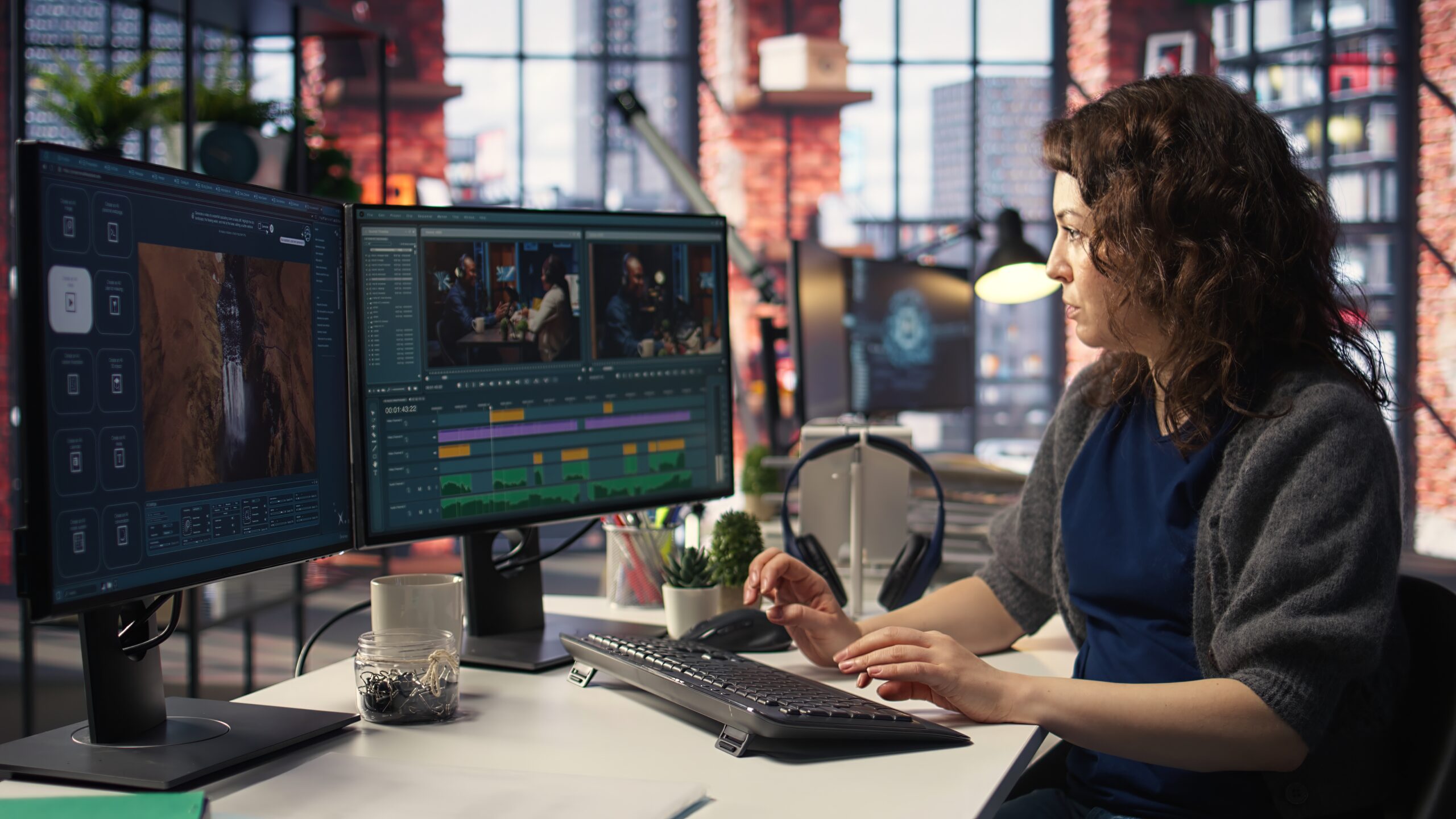
- Timeline Panel – The heart of editing
- Program Monitor – Displays the final output
- Tools Panel – Contains essential editing tools
- Effect Controls – Fine-tune effects, motion, and transitions
At e-Drishyam, students are encouraged to customise their workspace early on. A well-organised interface reduces editing time and boosts productivity.
Timeline Mastery: The Foundation of All Editing
The timeline is where storytelling comes alive. Mastering timeline-based techniques in Adobe Premiere Pro sets amateurs apart from professionals.
Essential Timeline Skills
- Understanding video and audio tracks
- Using track targeting efficiently
- Locking and muting tracks
- Managing clips with precision
- Ripple, Roll, Slip, and Slide Edits
These four editing techniques allow seamless adjustments without disrupting the overall structure of your video:
- Ripple Edit – Adjust clip length while shifting surrounding clips
- Roll Edit – Adjust the cut point between two clips
- Slip Edit – Change content inside a clip without moving it
- Slide Edit – Move a clip while adjusting surrounding clips
At e-Drishyam, editors practice these techniques extensively because they are essential for professional-level editing.
Cutting Like a Pro: Editing Tools You Must Know
Adobe Premiere Pro offers a powerful set of tools knowing when and how to use them is key.
Must-Know Tools
- Selection Tool (V) – Move and trim clips
- Razor Tool (C) – Cut clips instantly
- Rolling Edit Tool (N) – Adjust edit points smoothly
- Rate Stretch Tool (R) – Speed up or slow down clips
- Pen Tool (P) – Create keyframes
Professional editors trained at e-Drishyam rely heavily on keyboard shortcuts to cut faster and stay in creative flow.
Working With Sequences Like a Professional
Sequences define your video’s technical foundation.
- Important Sequence Settings
- Frame rate (24fps, 30fps, 60fps)
- Resolution (HD, 4K, vertical video)
- Aspect ratio for different platforms
A mismatch between footage and sequence settings can ruin output quality. That’s why e-Drishyam emphasises setting up sequences correctly before editing begins.
Colour Correction and Colour Grading Techniques
One of the most in-demand Adobe Premiere Pro techniques is professional colour correction.
Lumetri Colour Panel Explained
- Basic Correction – White balance, exposure, contrast
- Creative – Stylised looks and LUTs
- Curves – Precision colour control
- Colour Wheels – Shadows, midtones, highlights
- Scopes – Waveform and vectorscope for accuracy
Colour grading transforms raw footage into cinematic visuals. At e-Drishyam, learners are taught to correct first, grade later always.
Audio Editing: The Most Underrated Skill
Great visuals can’t save bad audio. Professional editors know this well.
- Essential Audio Techniques
- Normalise audio levels
- Remove background noise
- Use Essential Sound Panel
- Balance dialogue, music, and effects
The Essential Sound Panel allows editors to tag clips as dialogue, music, SFX, or ambience and apply smart presets. This is a core teaching focus at e-Drishyam, especially for content creators and filmmakers.
Text, Titles, and Motion Graphics
Text is no longer optional it’s central to engagement.
- Using the Essential Graphics Panel
- Create titles and lower thirds
- Animate text with keyframes
- Use templates efficiently
- Design brand-consistent graphics
At e-Drishyam, students learn how to design clean, readable titles that enhance storytelling without overpowering visuals.
Transitions and Effects Without Overdoing It
Premiere Pro offers hundreds of effects but restraint is key.
- Professional Transition Tips
- Use cuts over transitions whenever possible
- Apply Cross Dissolve for subtle fades
- Match transitions to storytelling rhythm
Understanding when not to use effects is a hallmark of maturity taught at e-Drishyam.
Speed Ramping and Time Remapping
Speed ramping is a favourite among modern editors.
How to Use Time Remapping
- Create smooth, slow-motion effects
- Emphasise action shots
- Add cinematic impact
This advanced Adobe Premiere Pro technique is widely used in ads, reels, and travel films and is a staple in e-Drishyam’s advanced modules.
Keyboard Shortcuts and Workflow Optimisation
Efficiency is everything in professional editing.
- Workflow Best Practices
- Customise keyboard shortcuts
- Use adjustment layers
- Organise bins with colour labels
- Save presets for reuse
At e-Drishyam, editors are trained to work smarter, not harder because deadlines are real in the industry.
Exporting Videos the Right Way
A perfect edit means nothing if exported incorrectly.
- Export Settings You Must Know
- H.264 for web and social media
- Bitrate control for quality
- Presets for YouTube, Instagram, and broadcast
Exporting is often overlooked, but e-Drishyam treats it as a critical final step in the editing process.
Common Mistakes New Editors Should Avoid
- Overusing transitions
- Ignoring audio quality
- Poor file organisation
- Incorrect sequence settings
- Editing without a story
At e-Drishyam, learning includes making mistakes then fixing them with guidance and real-world insight.
How e-Drishyam Helps You Master Adobe Premiere Pro
Learning software is one thing learning how to think like an editor is another.
e-Drishyam focuses on:
- Industry-relevant projects
- Practical, hands-on learning
- Real editing workflows
- Strong creative foundations
Whether you aim to become a filmmaker, YouTuber, or professional editor, e-Drishyam equips you with both technical mastery and creative confidence.
Final Thoughts
Mastering Adobe Premiere Pro techniques is a journey one that blends creativity, technical skill, and storytelling. With consistent practice and the right guidance, anyone can evolve from a beginner to a confident professional editor.
At e-Drishyam, the goal is not just to teach software but to shape editors who understand visuals, rhythm, emotion, and impact.
If you’re serious about video editing, start mastering Adobe Premiere Pro today and let your stories move the world.